Flying social
Flying is better with friends.
Follow your friends’ flights as they happen, know the moment they land, share your own flight with a link, and see who’s flown the most this year.


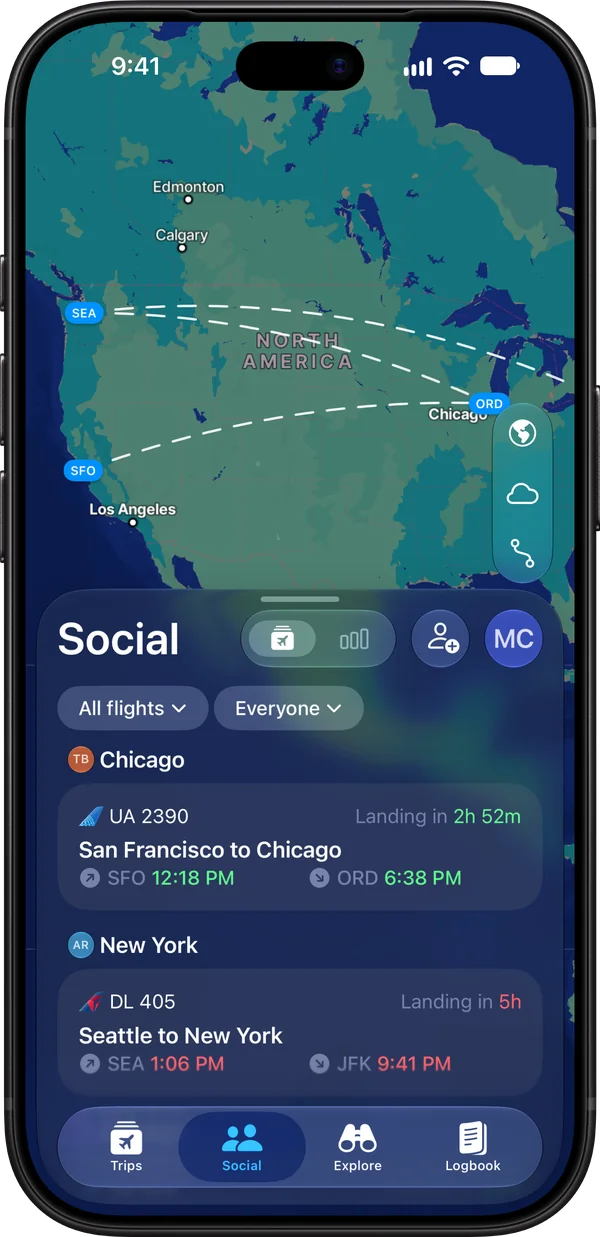
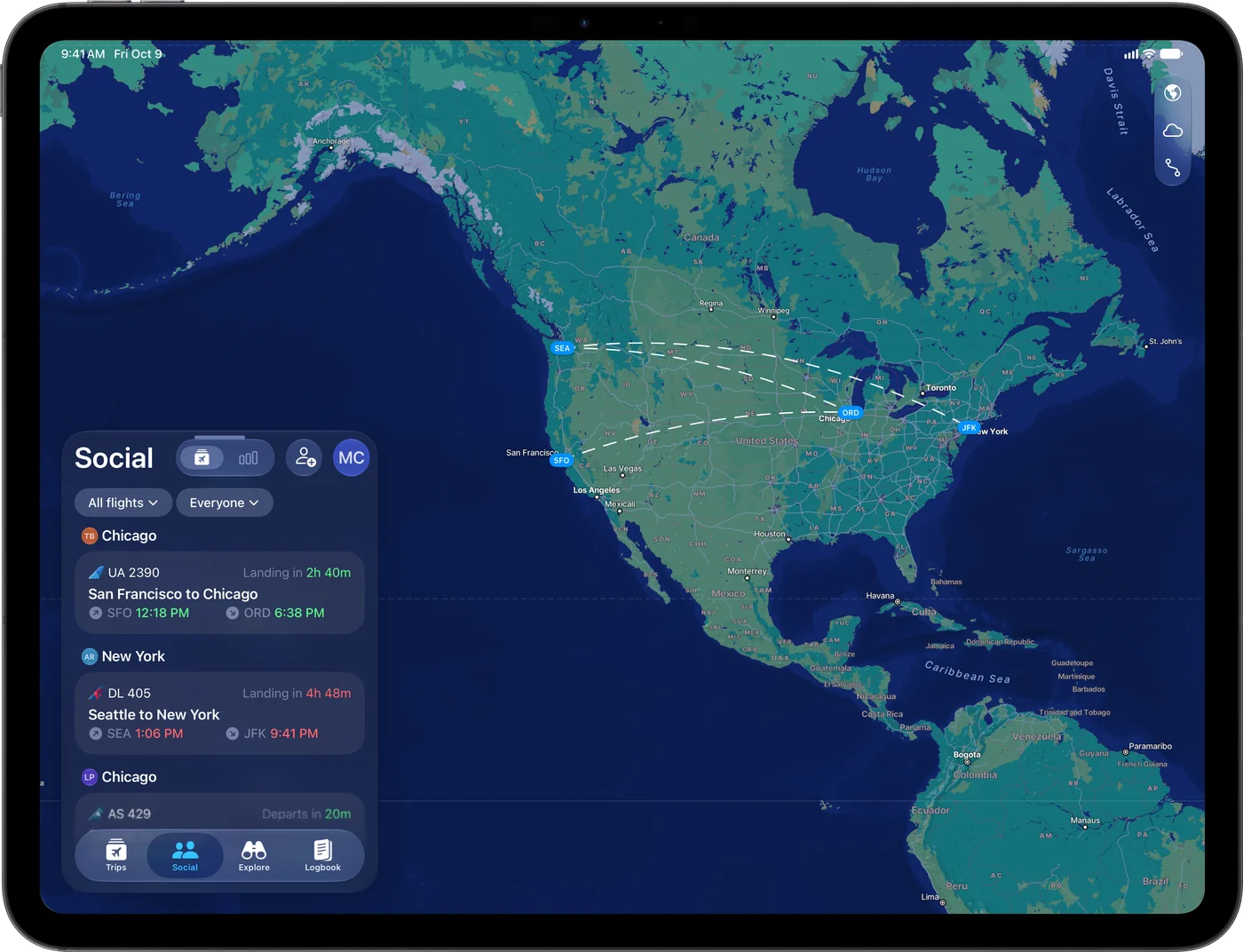
Every friend’s flight, in one place.
Your friends’ flights show up in the Social tab and on the map, so you can see who’s in the air, where they’re headed, and when they’ll land. Narrow it down to today’s flights, or to one friend.

-

Theo’s flight landednow
Taxiing to gate C18 (Terminal 1) for 9m.
-
Theo’s flight took off4h ago
Flight time to Chicago is 4h 20m.
-
Theo added a flight2d ago
Tap to see where they’re headed.
Know the moment they land.
Flying can let you know when a friend’s flight takes off and when it lands, with the gate they’re taxiing to, so you’re at arrivals right on time. Choose how much you hear for each friend, from just the landing to every delay and gate change.
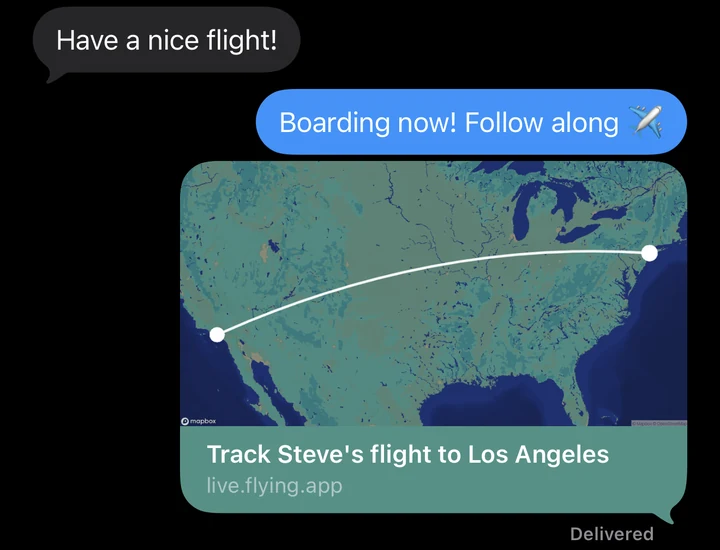
Share your flight with a link.
Send a link to your flight, and family and friends can watch your plane on a live map from takeoff to touchdown, with delays, gates, and baggage claim. It opens in any browser, so they don’t need the app.
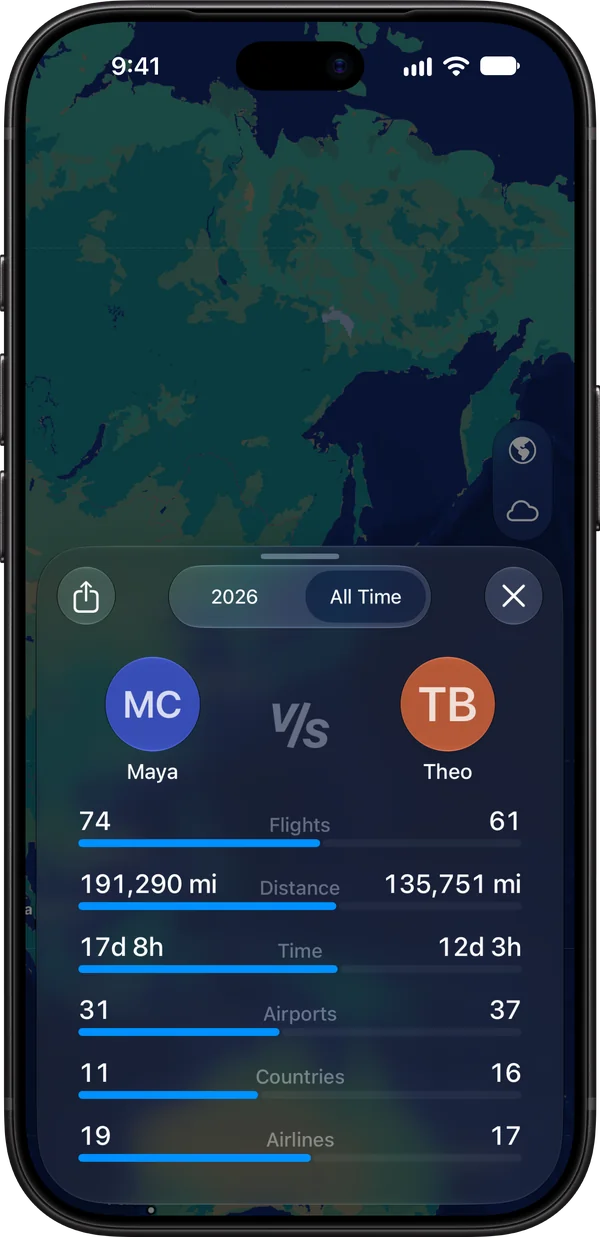
Who’s flown the most this year?
The leaderboard ranks you and your friends by flights, distance, time in the air, airports, countries, and airlines. Tap a friend to go head to head, for this year or all time, and share the matchup.
You choose who sees your flights.
Your flights are shared only with the friends you add, and with anyone you send a link to. You can stop sharing with a friend at any time.
Flying social questions, answered.
How do I add friends on Flying?
Open the Social tab and tap the invite button to send your invite link by text, email, or any app. When your friend opens it in Flying and accepts, you’re friends and start sharing flights with each other. You’ll both need to be signed in to Flying.
Can family follow my flight without the app?
Yes. Open your flight, tap the More button, and choose Share Flight to send a link. Anyone who opens it sees your plane on a live map, with departure and arrival times, delays, gates, and baggage claim, right in their browser. If they have Flying, the link opens in the app.
Will I get a notification when my friend lands?
Yes. Choose alerts for each friend: Landed to hear only when they land, Basic for key moments like takeoff and landing, or All for every update, including delays and gate changes. You can also get an alert when a friend adds a new flight, and set the level new friends start with in Settings.
Can I track a flight for someone who isn’t on Flying?
Yes. Add their flight, open it, and choose Move to Friends from the More menu, picking Not on Flying if you’re asked which friend it’s for. The flight moves to your Social tab, apart from your own trips and your logbook, and you get alerts for it at your default level for friends’ flights.
Who can see my flights?
Only the friends you share them with, and anyone you send a flight link to. Sharing is set for each friend, so you can turn it off for anyone at any time. Removing a friend stops sharing both ways, and they won’t get an alert.
How does the leaderboard work?
The leaderboard in the Social tab ranks you and your friends for the current year by flights, distance, time in the air, airports, countries, and airlines. Tap a friend to compare your stats side by side, for this year or all time, and share the comparison as an image.
Can I see a friend’s flight on my Lock Screen?
Yes, with Flying Pro. Turn on Include Friends’ Flights in Flying’s Live Activities settings, and flights friends share with you show on your Lock Screen and in the Dynamic Island. On Android, they show as Live Updates.
Is Flying social free?
Yes. Adding friends, following their flights, friend alerts, the leaderboard, and sharing a flight with a link are all free. Live Activities for friends’ flights are part of Flying Pro, and with Flying Pro Friends, $119.99 a year, you can give Pro to up to five friends or family members. See what’s free and what’s in Pro.
Can friends on iPhone and Android follow each other?
Yes. Friends on iPhone, iPad, Mac, and Android can follow each other’s flights, and the Social tab works the same on all of them.
Bring your friends along.
Follow friends’ flights, share yours, and see who’s flown the most, free with Flying on iPhone, iPad, Mac, and Android.