NewSeat maps
See your seat before you board.
Flying shows your seat on your flight’s actual cabin layout, which seats are better, and everything your seat comes with, from width and recline to power, screens, and internet.


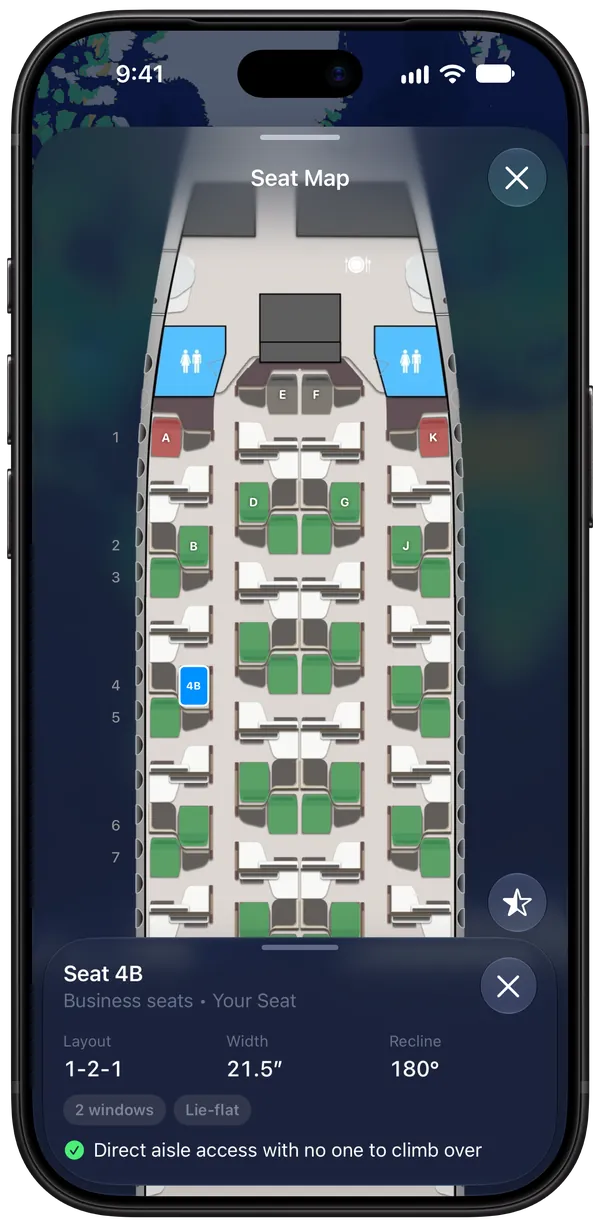
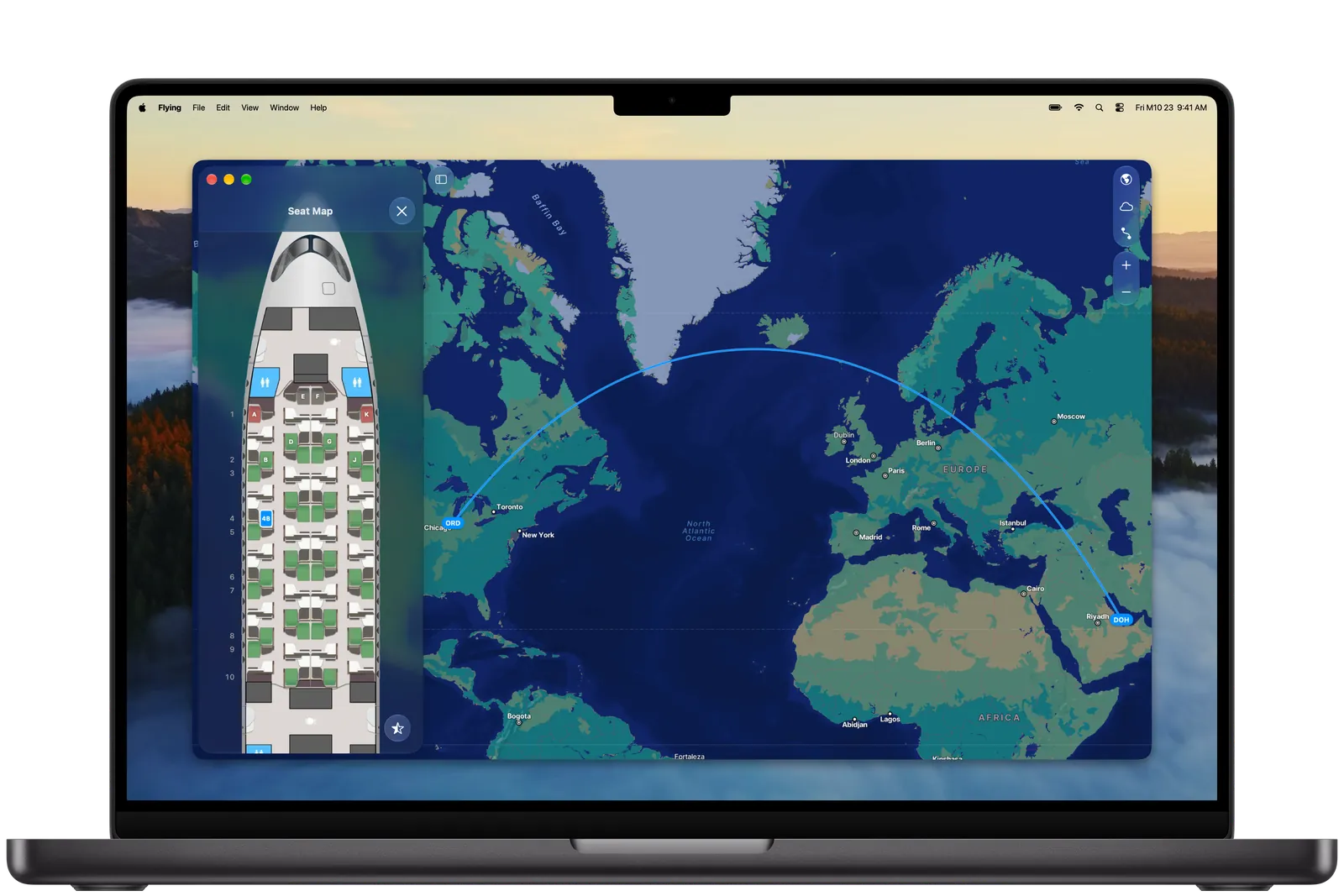
High-fidelity seat map layouts.
See exactly where you’re sitting on your flight’s cabin layout, from the front of the plane to the back, with your seat’s layout, width, and recline at a glance. Check it on iPhone, iPad, Mac, or Android.
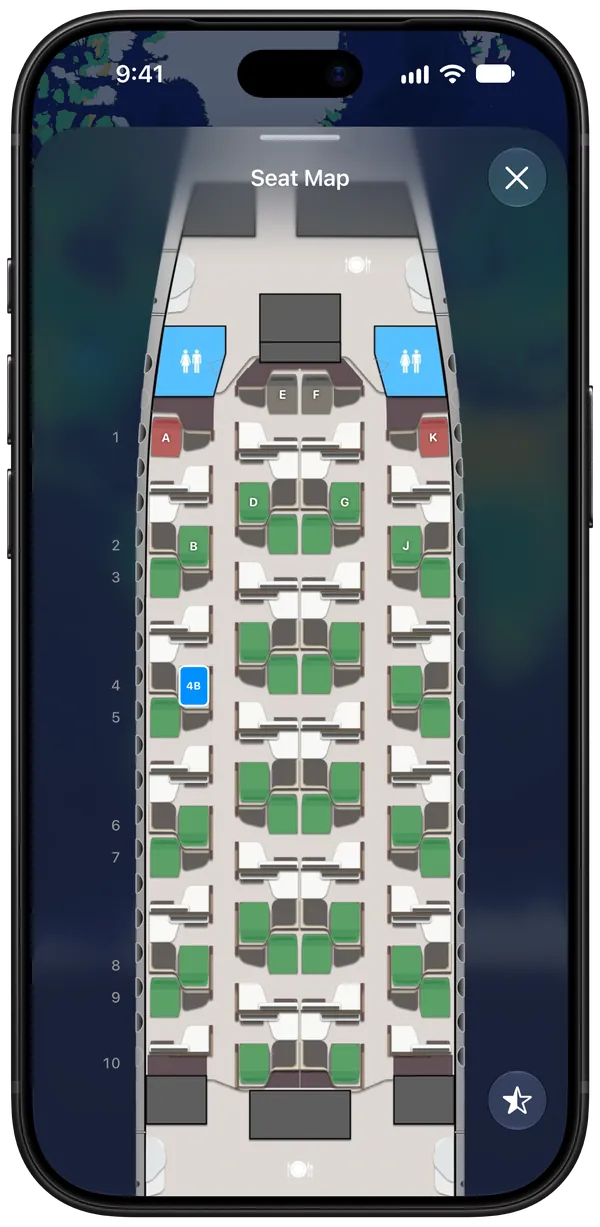
Spot the better seats.
Turn on seat ratings and every seat is colored by how good it is, so you can see which ones to aim for and which to skip.
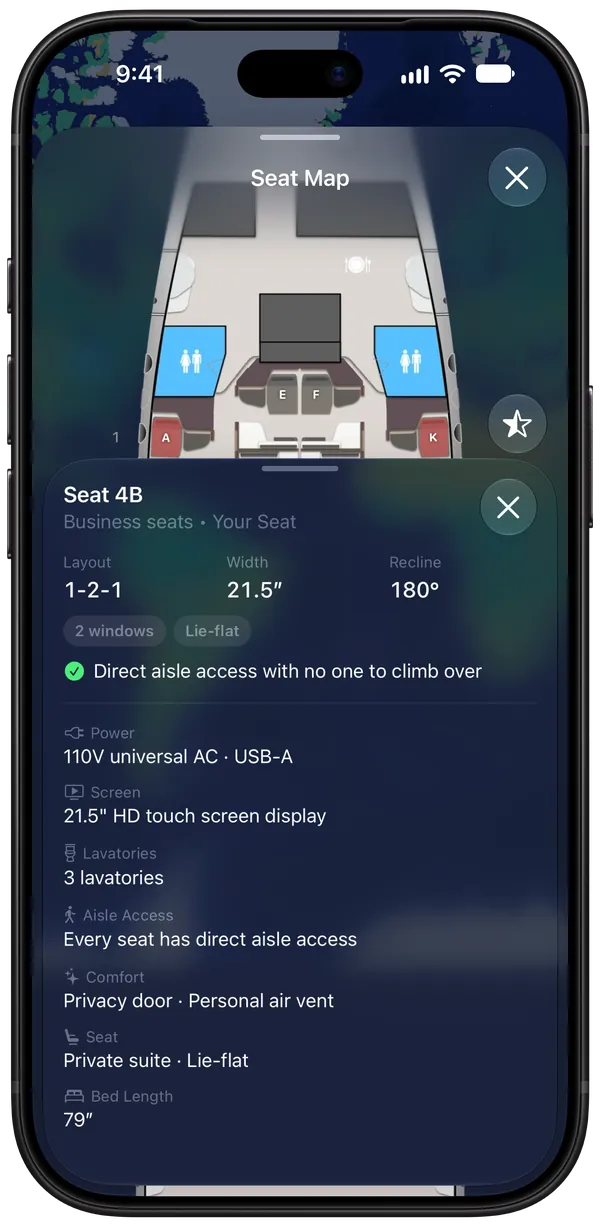
The full picture of your seat.
Power outlets, screen size, nearby lavatories, privacy doors, and how long the bed is in lie-flat seats, plus notes on what’s great about the seat and what to watch out for.
The numbers that matter.
Every seat’s width and recline, plus legroom in economy, in inches or centimeters, the way you like them.
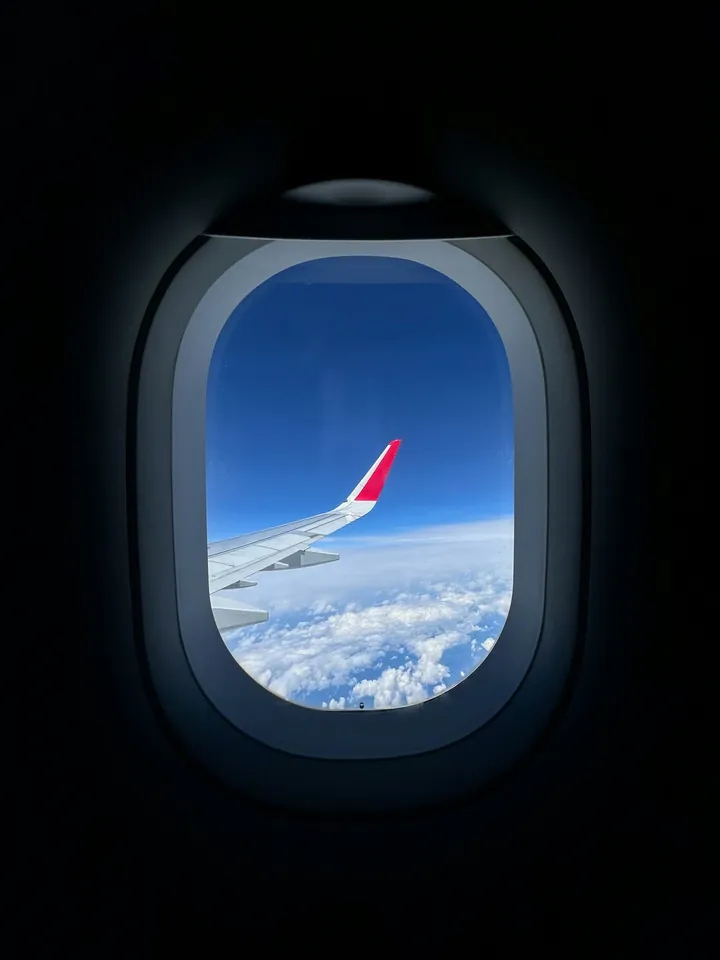
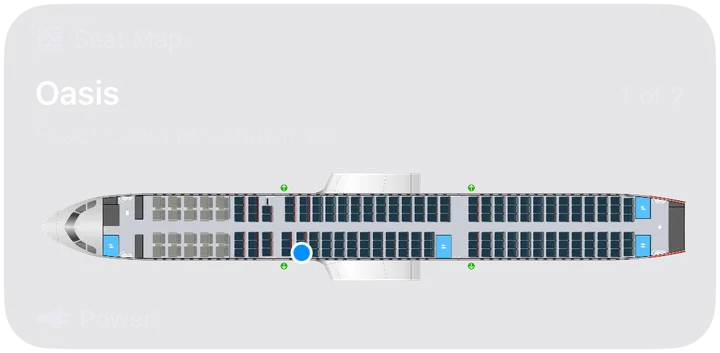
Your cabin, at a glance.
The whole cabin shows up right on your flight’s page, with your seat marked and what the cabin offers, like power outlets. Tap it to open the full seat map.

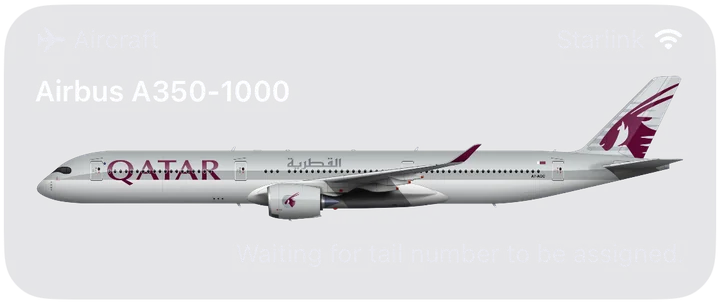
Does my plane have Starlink Wi-Fi?
Flying shows whether your plane has Wi-Fi and how good it is, so you’ll know how fast your connection will be before you board.
Seat map questions, answered.
How do I see the seat map for my flight?
Add your flight to Flying and open it. The Seat Map card shows the cabin your flight flies, and tapping it opens the full seat map. Add your seat number, or tap your seat on the map, and Flying marks it and shows everything about it.
How can I tell which seats are best?
Turn on seat ratings in the seat map, and every seat is colored by how good it is. Tap any seat to see notes on what’s great about it, like direct aisle access with no one to climb over, and what to watch out for.
What does Flying show about my seat?
The cabin’s layout, like 1-2-1, and your seat’s width and recline, or its legroom in economy. It also shows whether the seat lies flat and has direct aisle access, its windows, power outlets, and screen, the cabin’s Wi-Fi and entertainment, nearby lavatories, and the bed length in lie-flat seats.
Does Flying show if my flight has Wi-Fi or Starlink?
Yes. Flying shows whether your flight has Wi-Fi and how good it is, with signal bars on your flight’s Aircraft card. When it’s Starlink, Flying calls it out by name, so you’ll know before you board that fast internet is waiting for you.
Can I choose or change my seat in Flying?
No. Seats are chosen and changed with your airline, in its app or on its website. Flying shows the seat map so you know what you’re getting, and once you have a new seat, you can update it in Flying to see it on the map.
Does it work on double-decker planes?
Yes. On planes with two decks, like the Airbus A380 and Boeing 747, you can switch between the main deck and the upper deck.
Can I see the seat map for a friend’s flight?
Yes. When a friend shares their flights with you, you can open the seat map for their flight too.
Are seat maps free?
Seat maps are part of Flying Pro, which is $59.99 a year or $4.99 a week. Flying’s free plan includes flight alerts, your logbook, friends’ flights, airport status, and Explore.
Do seat maps work on Android?
Yes. Seat maps work the same on iPhone, iPad, Mac, and Android.
Know your seat before you board.
Get seat maps, flight alerts, and more with Flying on iPhone, iPad, Mac, and Android.